
Step-by-Step SAT Answer Guides with Visuals
Visual guides simplify SAT prep with step-by-step solutions, color coding, and diagrams, enhancing understanding and retention for better scores.
Try a question now. No account needed.

Step-by-Step SAT Answer Guides with Visuals
Want to make SAT prep easier? Visual guides break down tough questions into simple steps using diagrams, flowcharts, and color coding. They help you understand math problems, reading passages, and grammar rules faster and more clearly.
Key Benefits of Visual Guides:
- Simplify Problems: Step-by-step visuals for math, reading, and writing.
- Boost Retention: Color coding and diagrams make concepts stick.
- Track Progress: Visual analytics show where you’re improving.
Tools You Can Use:
- Math Diagrams: Labeled figures for geometry and algebra.
- Flowcharts: Map out arguments and grammar rules.
- Color Coding: Highlight key ideas, traps, and formulas.
Try free visual tools during beta. These strategies make SAT prep more effective and engaging.
SAT Math Practice Test 1: Step-by-Step Solutions!
Parts of Good Visual Guides
Visual guides simplify complex SAT problems into easy-to-follow steps. Here's how different visual elements improve SAT preparation.
Math Diagrams with Labels
Diagrams make abstract math problems easier to understand. The best diagrams include:
- Labels for exact measurements (e.g., "45°" or "x = 5")
- Markers for unknown values
- Step numbers to outline the solution process
- Indicators to show connections between related parts
SAT Practice Bot uses color-coded labels and precise details to break down geometry problems. Each diagram includes clear annotations that explain how different parts of the problem relate to each other.
Reading and Writing Flowcharts
Flowcharts visually map out logical progressions in reading and writing questions. They help students:
- Follow how arguments build in reading passages
- Spot cause-and-effect relationships
- Analyze evidence supporting main ideas
- Understand grammar and punctuation rules
With directional arrows and decision points, these charts clarify the author's purpose and key details.
Using Colors to Mark Key Points
Color coding makes important information stand out:
- Blue: Main ideas and topic sentences
- Green: Supporting evidence and examples
- Red: Critical points or common traps
- Purple: Connections between related concepts
- Orange: Key vocabulary or math formulas
SAT Practice Bot provides question explanations after grading; diagrams and formatting vary by question.
These visual tools turn challenging SAT problems into clear, step-by-step solutions.
3 Steps to Use Visual Guides
Visual guides can be a game-changer for improving SAT scores. Here’s how to make the most of them in your study sessions.
1. Identify the Question Type
Start by figuring out what kind of SAT question you’re dealing with.
- Math Section: Use labeled diagrams for geometry, solution boxes for algebra, and graphs for data analysis.
- Reading & Writing: Rely on color-coded text for evidence, flowcharts for grammar rules, and structured maps to break down arguments.
The SAT Practice Bot can help by identifying the question type and providing the right visual guide.
2. Study the Visual Guide
Pay attention to the guide’s layout. Look for color-coded areas, numbered steps, arrows, and highlighted formulas.
Here’s how to use it effectively:
- Start at bold entry points and follow arrows to see the flow.
- Look for decision points and solution boxes.
- Match the guide’s elements to the problem: key phrases, numbers, required formulas, or critical evidence.
Once you’ve analyzed the guide, practice applying the steps to similar questions.
3. Practice with the Guides
Regular practice is essential to build confidence and accuracy.
- Work through each step methodically and confirm you understand it.
- Track any recurring mistakes and adjust your approach.
To avoid errors:
- Double-check your calculations.
- Make sure your reasoning aligns with the guide’s flow.
- Review your mistakes to spot patterns.
The SAT Practice Bot can help you track your progress, identify areas for improvement, and build your readiness for test day [1].
Why Visual Guides Work
Improved Memory Retention
Visual guides help students remember information better by combining visual elements with step-by-step problem-solving techniques. SAT Practice Bot uses features like color-coding and clear labels to make these connections stick. For example, specific colors act as mental triggers, helping students quickly recall methods during the test and solve problems more efficiently.
Simplifying Tough Problems
Visual guides break down complicated SAT questions into smaller, easier-to-understand steps. Tools like step-by-step diagrams, color-coded sections, and flowcharts make even the hardest problems feel approachable. SAT Practice Bot takes complex word problems and turns them into clear, systematic visual sequences. This method not only reduces intimidation but also boosts confidence and accuracy.
Encouraging Active Learning
Visual guides aren't just about clarity - they also make learning more engaging. SAT Practice Bot uses interactive tools to get students actively involved, such as:
- Diagrams that students complete step by step
- Color-coding exercises to highlight key information
- Curated practice sessions with explanations after grading
SAT Practice Bot Visual Tools
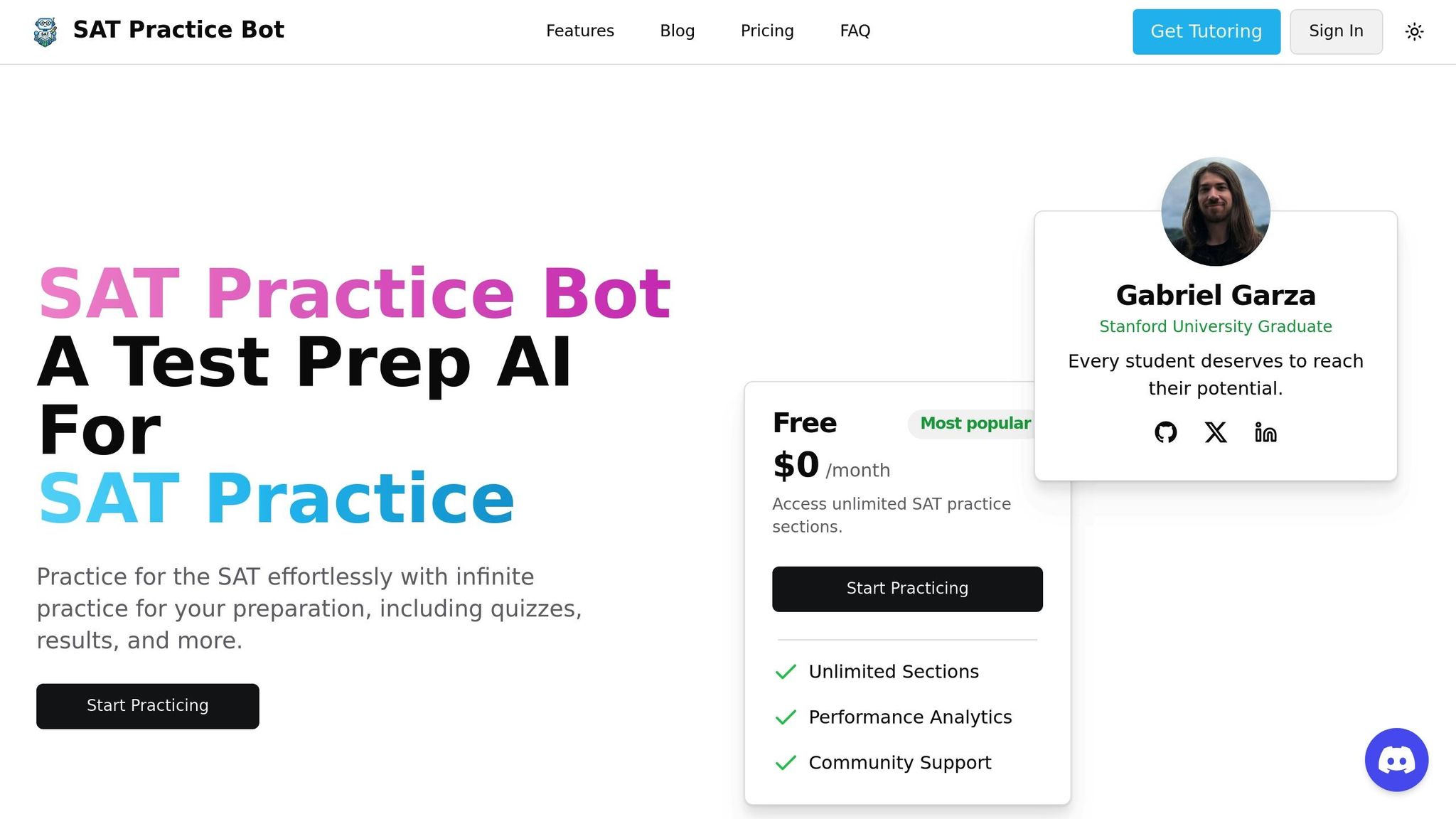
Step-by-Step Visual Guides
SAT Practice Bot makes tackling SAT problems easier with its visual guides. These guides break down complex questions using color-coded explanations and interactive diagrams. Here's what you'll find in the visual library:
- Math Solutions: Diagrams that simplify algebra and geometry problems
- Reading Maps: Flowcharts that pinpoint key elements in reading passages
- Writing Guides: Grammar rules paired with clear examples
These resources are free at $0 during beta, with unlimited curated digital SAT practice and no monthly cap. They serve as a strong starting point for building study habits, further supported by tailored study tips.
Custom Study Tips
Full-length timed exams and paid Pro enrollment are not currently open.
Key features include:
- Visual Progress Tracking: Heat maps that highlight where you're excelling and where you need work
- Custom Reviews: Simplified diagrams designed to revisit tricky concepts
Group Study and Games
To make studying more interactive, SAT Practice Bot includes tools for group activities. These features turn studying into a collaborative and engaging experience, while still emphasizing SAT fundamentals.
Interactive options include:
- Practice independently, review explanations after grading, and use your own progress insights to choose your next skill.
These gamified elements keep study sessions fun and productive, all while staying focused on key SAT skills through visual learning.
Conclusion
Main Points
Visual guides simplify SAT preparation by breaking down tough problems into easy-to-follow steps. Tools like color-coded diagrams, interactive flowcharts, and progress trackers create an engaging learning experience that helps students retain information and solve problems more effectively.
Here’s what makes visual guides so helpful:
- Better Retention: Visual aids help embed concepts into your memory.
- Simplified Problem-Solving: Step-by-step visuals make even tricky questions easier to tackle.
- Interactive Learning: Engaging tools encourage deeper understanding and active participation.
These tools can make a big difference in how you approach SAT prep.
Next Steps
Ready to get started? Here's how you can make the most of these tools:
- Try Free Visual Guides: Explore the free plan to access visual aids that can kickstart your SAT prep.
- Monitor Your Progress: Use the free analytics to see how much you're improving as you study.
- Full-length timed exams and paid Pro enrollment are not currently open.
Start with the free resources to build your foundation, and consider upgrading when you’re ready for more tailored support.